Studio 180 Design · Block trimmers and seam guides
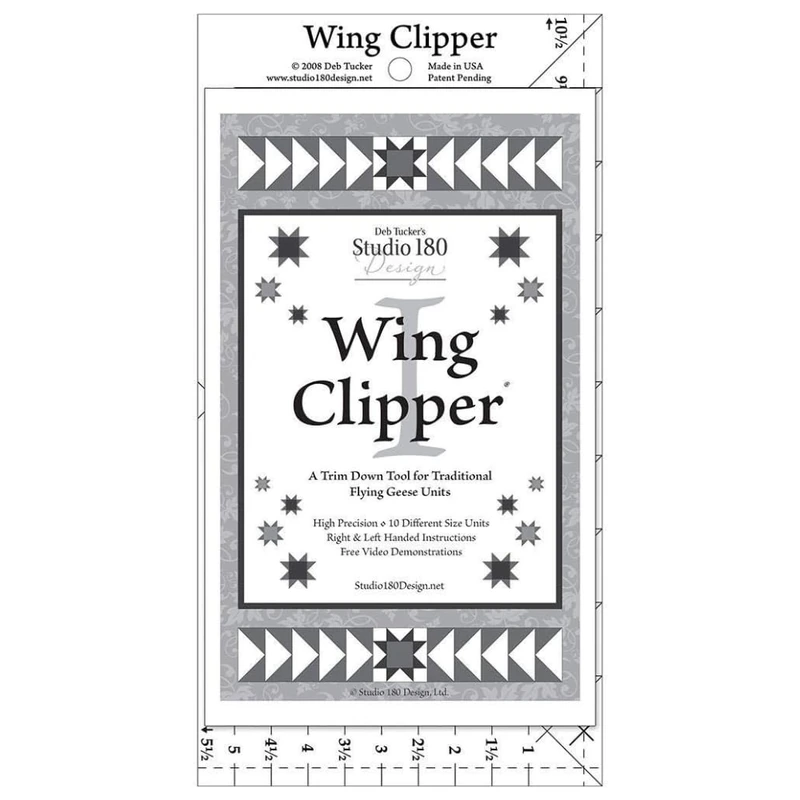
Studio 180 Design Wing Clipper I
Choose the Wing Clipper I when you make flying geese in different sizes and prefer one marked ruler.
What this tool is for
Choose the Wing Clipper I when you make flying geese in different sizes and prefer one marked ruler. Sew the pieces slightly oversized and trim after pressing, using the diagonals to set the cut relative to the point.
Specifications
- Brand
- Studio 180 Design
- Tool type
- Marked block trimmer
- Key details
- DT07 flying geese trim ruler
- Ten finished sizes from ½ × 1 to 5 × 10 inches
- Amazon.com reference
- B07QSV9DYK
Fit and buying advice
The listed sizes refer to finished two-to-one rectangles. Check the raw trim size before cutting. A dedicated grooved Bloc Loc ruler may be easier to register if you mostly use one size and prefer a raised seam reference.
Questions about this tool
Can it trim a 3 × 6-inch finished goose?
That size falls within the maker’s marked range. Follow the corresponding trim line.
Should I cut directly to final size before sewing?
The maker’s method starts oversized and trims the sewn unit.
Is this for square half-square triangles?
Choose a square-unit trimmer for that job. The Wing Clipper is marked for rectangular geese.